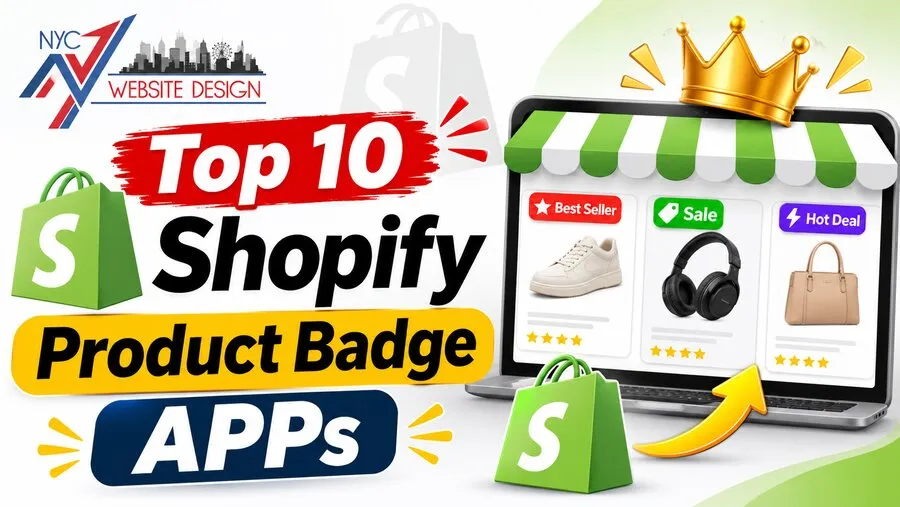


I’ve built and audited many Shopify stores over the years, and one small detail keeps showing up on the shops that convert well: product badges. A little “Sale,” “Bestseller,” or “Only 3 Left” label on a product image does a surprising amount of work. It catches the eye as someone scrolls a collection page, answers a question before the shopper has to ask it, and gives a gentle push toward the cart.
The catch is that Shopify doesn’t offer product badges out of the box. You need an app. And when you search the Shopify App Store, you’ll find dozens of Shopify product badge apps that all look alike in their screenshots.
So in this post, I’m walking through the ten I’d consider first in 2026, what each one does best, and how to pick the right one for your store.
What Is a Shopify Product Badge App?
A product badge app places small labels or icons on top of your product images, or near the price and Add to Cart button. They usually appear on collection pages, product pages, the home page and search results.
The most common badge types are:
- Sale and discount badges, such as “20% OFF,” often worked out automatically from your compare-at price
- New arrival badges for recently added products
- Bestseller badges based on sales data
- Low stock or scarcity badges, like “Only 2 left”
- Feature badges, such as “Organic,” “Handmade,” “Vegan,” or “Free Shipping”
- Trust badges, like secure checkout, money-back guarantee, and payment icons
The better apps apply these automatically. Instead of tagging hundreds of products by hand, you set a rule once (for example, “show Low Stock when inventory is under 5”) and the app handles the rest.
Why Product Badges Help Conversions
Badges work because shoppers skim. Nobody reads every product description on a collection page. A clear visual cue tells them in a split second why a product matters right now.
Here’s what a good badge setup does for your store:
- Grabs attention. A colored label breaks up a grid of similar product photos.
- Creates urgency. “Low Stock” and “Sale Ends Soon” give people a reason to buy today instead of “later.”
- Builds trust. Payment icons and guarantee badges calm last-minute doubts, especially for new visitors.
- Adds social proof. “Bestseller” or “Customer Favorite” tells shoppers other people already bought and liked it.
- Highlights what you want sold. You can steer attention to new launches, high-margin items or seasonal stock.
One caution from experience: more badges isn’t better. If every product has three flashing labels, none of them stand out. Use them with intent.
The Top 10 Shopify Product Badge Apps in 2026
Ratings and review counts below were checked on the Shopify App Store at the time of writing. Pricing changes often, so always confirm the current plan on each app’s listing before you install.
1. DECO Product Labels & Badges
Best for: most stores, and anyone who wants a proven, low-cost option.
DECO is one of the most popular badge apps on Shopify, with a near-perfect rating across more than 1,350 reviews. It offers a free plan with a couple of labels, and paid plans start at a few dollars a month.
What I like most is the automation. DECO can show badges based on rules such as discounts, inventory, product tags, and newness, so you don’t have to update labels by hand every time a sale starts. It also comes with a large library of ready-made designs.
Key features:
- Large library of pre-designed labels and badges
- Automatic rules for sale, new, low stock and more
- Works on collection pages, product pages and search
- Free plan available
2. TA Product Labels & Badges
Best for: store owners who want strong hands-on support.
Built by Tech Arms, TA Product Labels & Badges holds a 4.9 rating from more than 1,300 reviews. Reading through them, the same theme comes up again and again: the support team is fast and will help adjust how badges display with your specific theme.
That matters more than people think. A badge in the wrong spot or overlapping your product image looks unprofessional. Having a team that fixes placement for you saves a lot of frustration.
Key features:
- Text and image labels with lots of styling options
- Badges on product images and near the buy button
- Highly rated, responsive support for theme-specific tweaks
3. Sami AI Product Labels & Badge
Best for: growing stores that want AI-made designs and audience targeting.
Sami holds a 5.0 rating with over 1,100 reviews. Its standout feature is AI-generated badge designs, which helps if you don’t have a designer on hand.
It also goes beyond basic labels. You can show different badges to different customer groups, such as wholesale versus retail buyers, and run region-specific sale labels. That makes it a strong pick for stores selling in several markets, though it may be more than a small shop needs.
Key features:
- AI-generated badge and label designs
- Product labels plus trust badges
- Customer-segment and market-based targeting
4. Product Badges & Labels (Mint Badges)
Best for: stores that want trust badges and feature icons together.
This app has a 5.0 rating across more than 1,100 reviews and offers a free plan. It leans toward social proof: payment icons, social media icons, trust badges, feature icons and banners.
If your main goal is to make shoppers feel safe buying from you, especially a newer brand without much name recognition, this is a great fit.
Key features:
- Trust badges and payment icons
- Feature icons (free shipping, returns, guarantees)
- Labels and banners
- Free plan available
5. Hextom: Upsell Sales Boost
Best for: store owners who want badges plus other sales tools in one app.
Hextom’s Upsell Sales Boost isn’t only a badge app. It bundles more than 30 conversion tools, including countdown timers, inventory timers and trust badges.
If you’d rather install one app than five, this is worth a look. The trade-off is that all-in-one tools can feel busier to set up than a focused badge app.
Key features:
- Trust badges and product labels
- Countdown and inventory timers
- 30+ tools covering the whole path from landing page to checkout
6. ShineTrust Product Badges
Best for: new stores on a tight budget.
ShineTrust has a 4.9 rating and a free plan with two badges, with paid plans from around $8 a month. Like Hextom, it’s more of a conversion toolkit that also includes badges.
Its review count is lower than the big names, so it hasn’t been tested by as many stores yet. Still, it offers good value if you’re just getting started.
Key features:
- Product badges and trust elements
- Extra conversion tools in the same app
- Free plan available
7. Labeler: Product Labels & Badges
Best for: merchants who want to upload their own badge designs.
Labeler gets regular praise for being simple and easy to customize. It includes a library of pre-made badges, and you can also upload custom badge images and assign them to specific products in a few clicks.
If you already have brand-specific badge artwork, this makes it easy to keep your store looking consistent.
Key features:
- Pre-made badge library
- Custom badge uploads
- Quick product-by-product assignment
8. Product Labels & Badges by Lably
Best for: stores that want flexible text and image labels without fuss.
Lably is a newer app with very positive recent reviews. Merchants highlight how easy it is to use and how many customization options it offers for both text-based and image-based labels. Support also gets good feedback for quick replies.
Key features:
- Text and image labels
- Simple editor with plenty of styling options
- Responsive support
9. Rimix Product Badges & Labels
Best for: small teams that care about speed and theme compatibility.
Rimix carries Shopify’s “Built for Shopify” status, which means it meets Shopify’s standards for performance, design and integration. That’s a good sign if you’re worried about apps slowing down your store.
It has fewer reviews than the leaders, but all of them are five stars, and merchants say it’s easy for a lean team to manage.
Key features:
- Built for Shopify certified
- Clean, lightweight badge setup
- Easy for beginners
10. Algoshop Promo Label & Badge
Best for: large catalogs with frequent new arrivals.
Algoshop’s Promo Label & Badge is especially useful for stores with hundreds of products. It helps new arrivals and promotions stand out in a crowded grid, and it’s easy to set up with a professional look.
Key features:
- Promotional and new arrival labels
- Suited to large product catalogs
- Quick setup
Quick Comparison
| App | Best For | Free Plan |
|---|---|---|
| DECO Product Labels & Badges | Most stores | Yes |
| TA Product Labels & Badges | Hands-on support | Check listing |
| Sami AI Product Labels & Badge | AI designs and targeting | Check listing |
| Product Badges & Labels (Mint) | Trust badges and icons | Yes |
| Hextom: Upsell Sales Boost | All-in-one sales tools | Check listing |
| ShineTrust Product Badges | New stores on a budget | Yes |
| Labeler | Custom badge uploads | Check listing |
| Lably | Flexible text and image labels | Check listing |
| Rimix | Speed and Built for Shopify | Check listing |
| Algoshop Promo Label & Badge | Large catalogs | Check listing |
How to Choose the Right Shopify Product Badge App
Before you install anything, ask yourself these questions:
- Does it automate badges? Rule-based labels save you hours every month.
- Does it work with your theme? Check that it supports Online Store 2.0 themes and uses theme app extensions, so it uninstalls cleanly.
- Will it slow your store down? Page speed affects both conversions and SEO. Apps with “Built for Shopify” status are a safer bet.
- Does it look good on mobile? Most Shopify traffic is mobile. Preview every badge on a phone.
- How good is support? Read recent reviews, not just the star rating.
- Does the price fit your stage? Start with a free plan and upgrade only once you see results.
Best Practices for Using Product Badges
Installing the app is the easy part. Here’s how to get real results from it:
- Keep it to one or two badges per product. Too many labels create visual noise.
- Match your brand. Use your brand colors and fonts so badges feel like part of the design.
- Be honest. Only show “Low Stock” when stock really is low. Fake urgency damages trust fast.
- Place them consistently. Pick a corner and stick with it across your store.
- Test and measure. Try different badge styles and wording, then check your conversion rate in Shopify Analytics.
- Refresh seasonally. Update badges for Black Friday, holidays and new launches.
Final Thoughts
Product badges are one of the quickest, cheapest wins you can add to a Shopify store. The right Shopify product badge app helps shoppers notice your best products, trust your store and buy with more confidence.
If you want one simple recommendation, start with DECO Product Labels & Badges for its free plan and automation. If support matters most, try TA Product Labels & Badges. If you sell across markets or customer groups, look at Sami AI.
Need help designing a Shopify store that converts, badges and all? The team at Top New York Web Design builds custom, conversion-focused Shopify stores for brands of every size. Reach out and let’s talk about growing your store.
Frequently Asked Questions
Does Shopify have built-in product badges?
Not really. Some themes include a basic “Sale” or “Sold Out” label, but for custom, automated badges you’ll need a Shopify product badge app.
Are there free Shopify product badge apps?
Yes. DECO, Mint’s Product Badges & Labels and ShineTrust all offer free plans with a limited number of badges.
Do product badges slow down my store?
They can if the app is poorly built. Choose apps that use theme app extensions or carry Built for Shopify status, and test your page speed after installing.
How many badges should I show on a product?
One or two at most. A single clear badge usually beats several competing ones.
Can I show different badges to different customers?
Yes, with more advanced apps like Sami AI, which supports customer-segment and market-based targeting.